
Overview
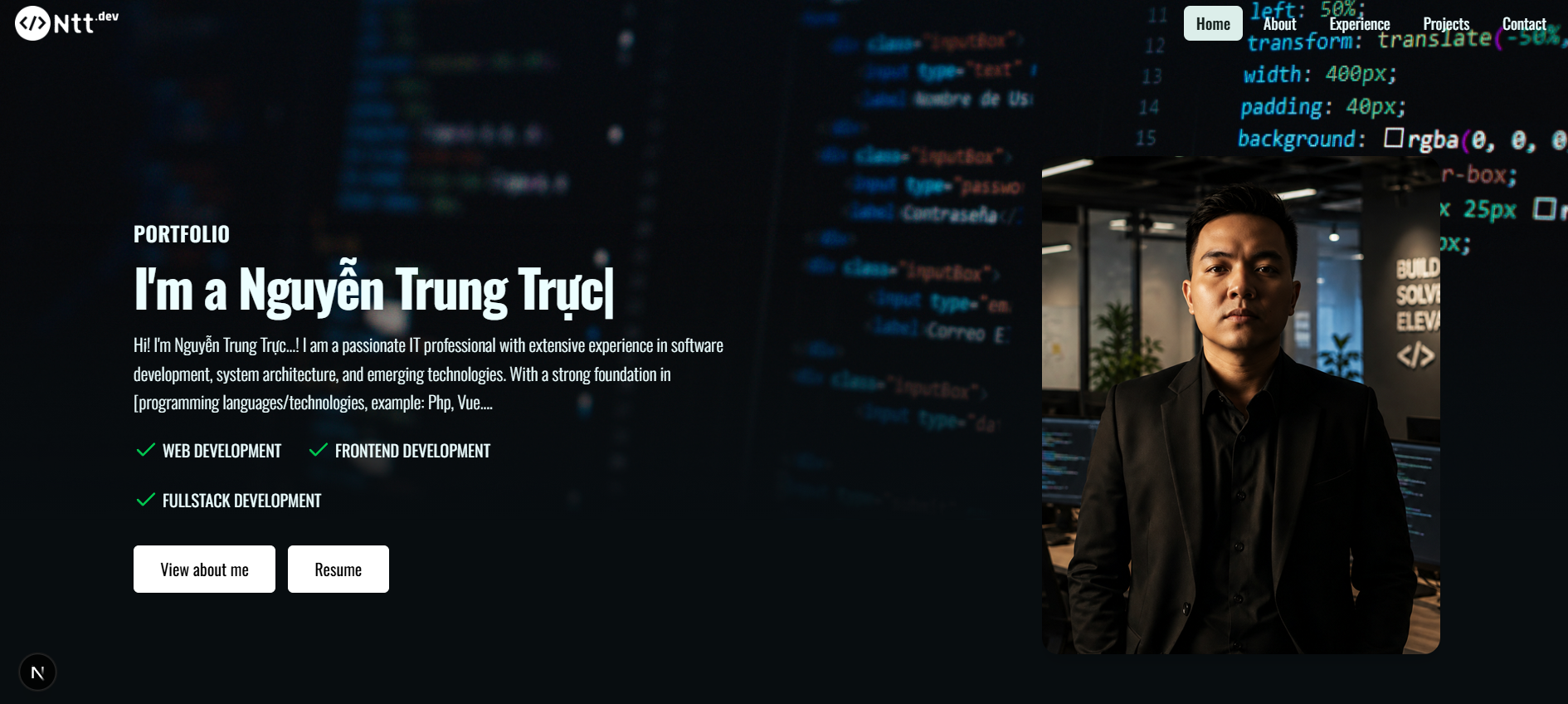
MyResume is my personal website and content studio in one Next.js app. Visitors see a public portfolio — home, about, experience, projects, and contact. I manage everything from a protected /admin CMS: profile, projects, work and education timelines, skills, media, site SEO, and a CV download.
It is built for a single owner. Recruiters and clients get a fast, content-driven site. I get a dashboard I can update without touching code.
The problem
A static resume or hand-edited site goes stale quickly. Changing a job title, swapping a project cover, or tweaking SEO meant editing files and shipping another deploy. Images lived in the repo. There was no real content model, no gallery, and no safe way to draft work before it went public.
I wanted content, media, and metadata in a database — with an admin UI that felt like a small CMS, not a spreadsheet.
The solution
The same Next.js App Router app serves two surfaces:
• Public site — server-rendered pages that read published data from PostgreSQL.
• Admin CMS — authenticated CRUD over Server Actions, with slide-over forms, a media gallery, and a TipTap editor.
Publishing a project, updating a bio, or uploading a résumé happens in the dashboard. The public site picks it up on the next request.
Stack
• Next.js 16 (App Router) and React 19
• Tailwind CSS 4
• Prisma 7 with a PostgreSQL driver adapter
• Supabase PostgreSQL (runtime pooler + direct URL for migrations)
• Auth.js v5 — Google OAuth and a rotatable access-token login
• Supabase Storage for images and CV files
• TipTap for rich text (projects, timelines, blog drafts)
• Embla Carousel, AOS, and a typed hero on the public site
Architecture
Public routes: Home, About, Experience, Projects, Project detail, Contact.
Admin modules: Profile, Projects, Experience, Education, Skills, Blog, Gallery, Settings.
Core models include User and Profile, Project (linked to Skill), Experience, Education, Post (with tags and SEO fields), Media, Contact messages, and SiteSettings. Most records support soft delete so unique slugs stay intact after a delete.
Public reads go through cached server data helpers. Writes go through Server Actions that require an admin session.
Public site
The homepage introduces me with a typed headline, a short bio, service tags, and a featured-project carousel. About shows avatar, contact, social links, full bio, and skills grouped by category with proficiency bars. Experience combines work and education into a timeline with rich-text descriptions. Projects lists published work; each detail page has a cover, tech tags, demo/repo links, and a full description. Contact posts to the database and uses a honeypot field against basic spam.
SEO is first-class: per-page metadata from site settings, Open Graph images, and JSON-LD Person markup on the home page.
Admin CMS
I can:
• Edit profile, avatar, social links, and résumé (PDF/DOC, stored in Supabase)
• Create and publish projects, link skills, set featured/order, and write rich descriptions
• Maintain experience and education timelines
• Manage skills with category, level, and icon
• Draft blog posts with type, tags, and SEO fields (article, tutorial, case study, and more)
• Upload and reuse images from a gallery (JPEG/PNG/WebP/GIF, categorized by use)
• Update site title, description, keywords, and OG image
• Rotate the emergency login token
The admin shell has a collapsible sidebar, toasts on every action, and a “View Website” link back to the public site.
Implementation highlights
Dual auth. Google sign-in is restricted to a seeded ADMIN user; everyone else lands on a forbidden page. A hashed access token is a backup login. I can rotate it from Settings — the old hash is invalidated immediately. Sessions are JWT, eight hours.
Media pipeline. Uploads are server-side via the Supabase service role, stored as {userId}/{category}/{timestamp}-{filename}. A reusable image picker lets me choose from the gallery or upload in place — used for avatars, covers, OG images, and images inside TipTap. A custom figure node adds captions for accessibility and SEO.
Data safety. Soft deletes across content models. Slugs are rewritten on delete so unique constraints never collide. Public queries only return published, non-deleted rows.
Prisma 7. Runtime uses the pg adapter and a pooled DATABASE_URL; migrations use DIRECT_URL. Public fetchers are wrapped in React cache() so a single request does not hit the database twice for the same data.
What I learned
Building this forced real App Router patterns: Server Components for public pages, Server Actions for mutations, and a clear split between public and admin layouts. Auth.js v5 JWT callbacks, Prisma 7 driver adapters, and a storage-backed CMS UI were the hardest — and most useful — parts. The reusable picker and editor paid off every time I added a new content type.
What’s next
Blog posts already exist in admin, including a case-study type, but they are not public yet. The contact inbox is still a placeholder. I also want a sitemap and robots.txt so search engines can crawl the published pages cleanly.